Hungarian (hu)
 English (en)
 German (de)
 Romanian (ro)
 Slovak (sk)
 Ukrainian (ua)
 Polish (pl)
 Netherlands (nl)
 Czech (cz)
 Bulgarian (bg)
 Indonesian (ie)
 French (fr)
 Spanish (es)
 Turkish (tr)
 Swedish (sv)
 Finnish (fi)
 Chinese (Simplified) (cn)
 Danish (dk)
 Estonian (et)
 Greek (el)
 Italian (it)
 Japanese (ja)
 Latvian (lv)
 Lithuanian (lt)
 Norwegian (Bokmål) (nb)
 Portuguese (pt)
 Russian (ru)
 Slovenian (sl)
 Korean (ko)
 Arabic (ar)
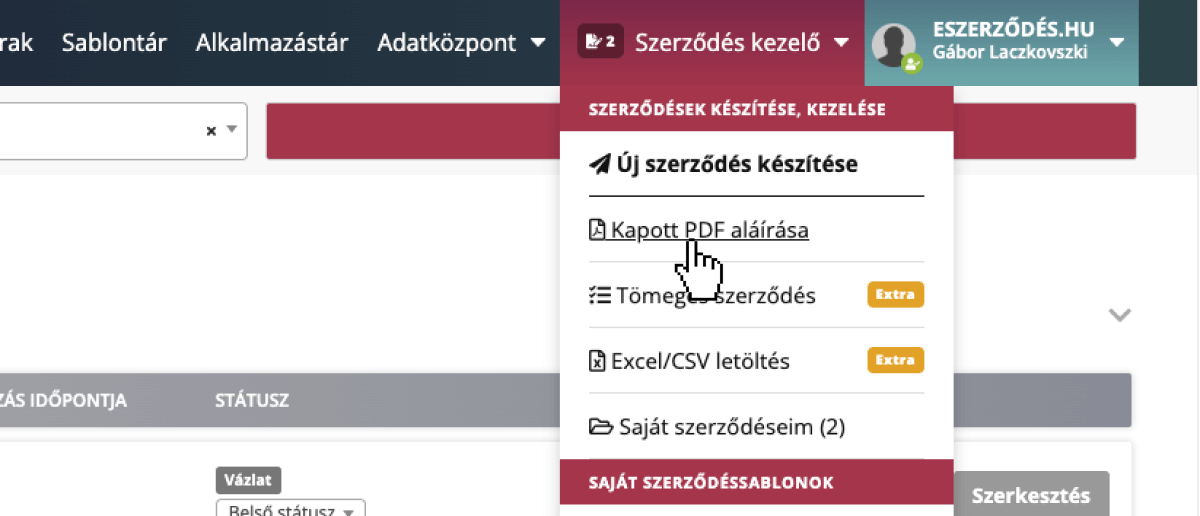
As a first step, choose the PDF contract you want to upload. You can do this from the quick menu in the bottom right corner, or under “Contract Manager” in the top navigation bar.
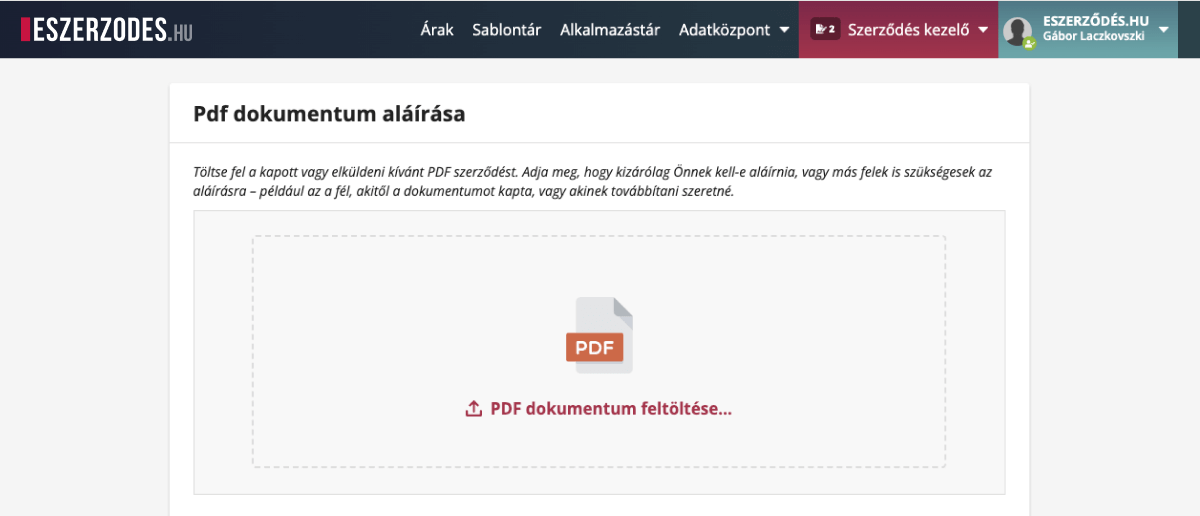
Next, simply drag and drop the PDF file into the designated area, or use the Browse button.
Tip: The uploaded PDF must not contain previous signatures or password protection, and all data should already be filled in beforehand.
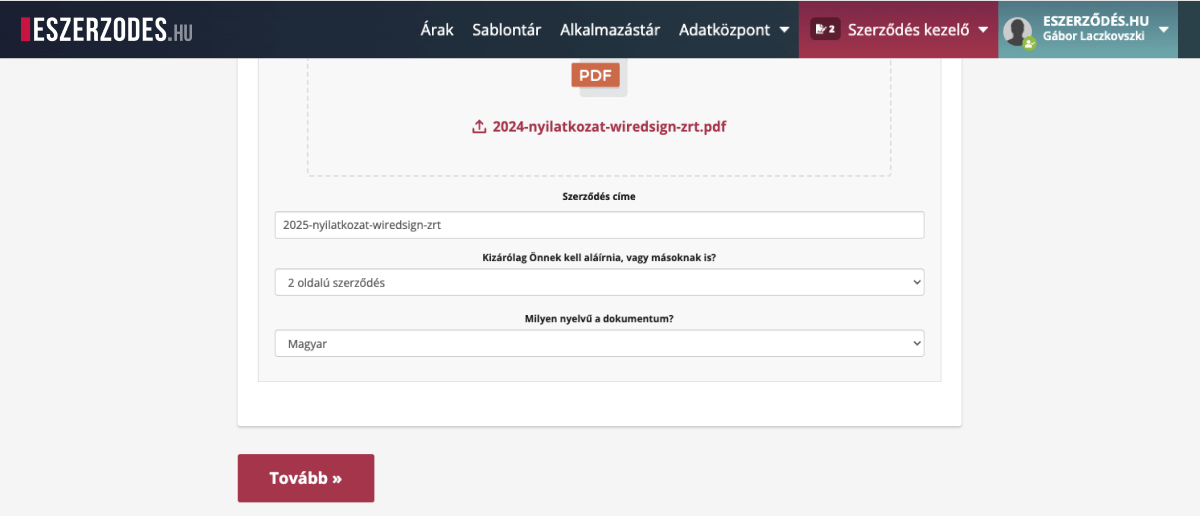
The system automatically suggests a name for the document, which you can freely change.
Next, specify whether only you will sign it, or if other parties will also participate in the signing.
You can also choose the contract language if necessary.
When everything is set, click the Continue button.
You can now name the parties — for example, Employer and Employee — and enter the email addresses of the signing parties.
The system prepares the document and notifies the parties. If you’re one of the signers, you can sign first, or wait for the other party to sign. If someone forgets to sign, automatic reminders will be sent.
That’s it — just a few clicks, and your contract is already on its way.